
Get Started Guide
Get Started at Columbus State
Your path to a debt-free degree starts at Columbus State Community College. Every student's journey may look a little different but this is the right place to start. It may seem like a lot, but don't let it overwhelm you. Most students complete these steps over several weeks or months. And we're here to help along the way.
Steps to Get Started
| Task | Timing |
|---|---|
| Explore your options. | When you begin researching colleges. |
| Schedule a visit. | Offered on a regular basis. |
| Apply to Columbus State. | As early as the autumn before you plan to start. |
| Set up your student email. | Upon acceptance. |
| Log in to Workday. | Upon acceptance. |
| Apply for financial aid. | Opens Oct. 1 for the following academic year. |
| Submit placement documents. | Upon acceptance. |
| Complete orientation and register. | When registration opens. |
| Pay tuition and fees. | No later than 5 days before the start of the semester. |
| Explore campus. | Before classes start. |
| Get your essentials. | First week of classes. |
| Attend class and access Blackboard. | First week of classes and beyond. |
| Find help. | First week of classes and beyond. |
| Make connections. | First week of classes and beyond. |
We're Here to Help
Your Admissions Representative will help you determine if Columbus State is the smart choice for you (spoiler, we think it is!).
Find your rep at Contact Admissions.
Reach out to us!
Don't know where to start?
Call (614) 287-5353
Have questions about transcripts, placement, or orientation?
Contact a New Student Coach
Need help with financial aid, student forms, or residency?
Contact Student Central
Delaware Campus student?
Contact Delaware Campus
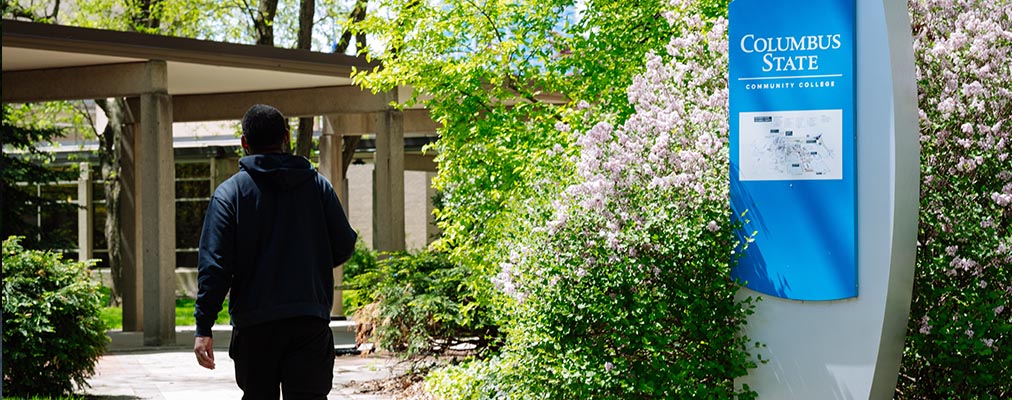
Phase 1: Deciding on Columbus State
Columbus State offers multiple paths depending on your goals. Associate degrees can prepare you to transfer to a four-year university or enter the workforce directly after graduation. Certificates offer shorter-term training designed to help you gain skills quickly, advance in your current role, or prepare for another credential. Browse our degree and certificate options.
Explore Transfer Options
Plan to earn a bachelor’s degree? Columbus State offers hundreds of transfer agreements and nine Preferred Pathways with top four-year universities. These partnerships help make transferring credits simple and can provide guaranteed admission for eligible students.
Explore In-Demand Careers
Columbus State works closely with employers across Central Ohio to prepare students for careers in growing industries like healthcare, information technology, engineering technology, skilled trades, and more.
Schedule a Campus Visit
Visiting campus is one of the best ways to experience Columbus State and learn about everything we offer.

Phase 2: Application & Onboarding
Apply to Columbus State
Applying to Columbus State is free and completely online. Once your application is submitted, you’ll receive information about your next steps by email.
Set Up Your Student Email
After you’re admitted, you’ll receive an email with your Cougar ID and instructions to activate your student accounts. All future emails will come to your CState email. Set up your student email ASAP so that you don't miss important updates!
Log in to Workday.
You’ll complete most admissions and enrollment tasks in Workday, Columbus State’s student portal. Log in with the same username and password you use to access your student email.
When you first log into Workday, you’ll be prompted to complete a series of new student onboarding tasks. Some will take only a few seconds. Other tasks can take days to complete because they require specific documents.
Be sure to regularly check your notifications and tasks so you can stay on track for registration. You must complete your new student onboarding tasks prior to registration.
Apply for Financial Aid and Scholarships
Complete the FAFSA to determine your eligibility for grants, loans, work-study, and other financial aid opportunities. Columbus State’s school code is 006867.
You should also explore scholarship opportunities, which do not need to be repaid.
Submit Transcripts and Test Scores
High school transcripts, college transcripts, and test scores help Columbus State place you into the right classes and evaluate transfer credit. If you do not have test scores available, you may be asked to complete a placement assessment. These tests are ungraded and available to you at no cost – so don’t worry! Placement simply allows us to make sure you’re in the right spot.
Attend Orientation and a Course Scheduling Workshop
Students who participate in these programs are more likely to succeed and stay on track.
Complete your online orientation and attend a Course Scheduling Workshop before registering for classes. These sessions help you understand college expectations, explore support resources, and build your first-semester schedule with guidance from college staff.
Pay Tuition and Fees
Tuition and fees must be paid before the semester begins. In Workday, you can make payments, enroll in a payment plan, set up direct deposit, and review your account balance.

Phase 3: Starting Your Semester
Explore Campus
We want campus to feel like home. Learn where to park, study, eat, attend class, and access essential resources.
 |
 |
 |
 |
Get Your Cougar ID and School Supplies
Your Cougar ID is used across campus for services and facilities – get yours as soon as possible. How to get your Cougar ID.
You can also purchase textbooks, school supplies, technology, and Columbus State gear at the bookstore.
Access Blackboard and Attend Class
Blackboard is Columbus State’s online learning system where instructors post assignments, announcements, grades, and course materials. How to access Blackboard.
Checking Blackboard daily and attending class consistently are two of the best ways to stay successful during your first semester.
Building relationships with faculty and advisors can help you stay on track academically and feel more connected to campus. Reach out early with questions and take advantage of office hours and advising appointments.
Know Where to Get Support
Support is everywhere at CState, you just have to use it! If you need help with access to food, child care, transportation, technology, and housing, our Student Advocacy Center can connect you with campus and community resources.
Find Events, Clubs, and Activities
Getting involved helps you build connections and feel part of our community. Explore student organizations, campus events, and leadership opportunities through Cougar Connect.